
Overview While all the configuration works, the UI settings is an important to be able to see the records (processes) of any sub project. The first glimpse is mostly the table view. In table view a list of all the processes are listed and shown in a meaningful way. Each row in the table is clickable and upon clicking the table row, it opens a process viewer with more details that acts like a workbench for the team to work and collaborate. Action Row Button Should be used to customise the name for button in each row. The link formatting is non editable. Table Columns The table column could be configured with three aspects.
  1. Index field: signifies if any specific field should be used to denote the index column in the table.
  2. Details Complex Column: This field is a composite column that has three elements: head, body and foot. Each section could be used to point to a specific field in the sub project.
  3. Dynamic Fields: This is used to show dynamic fields from the sub projects in the table view.
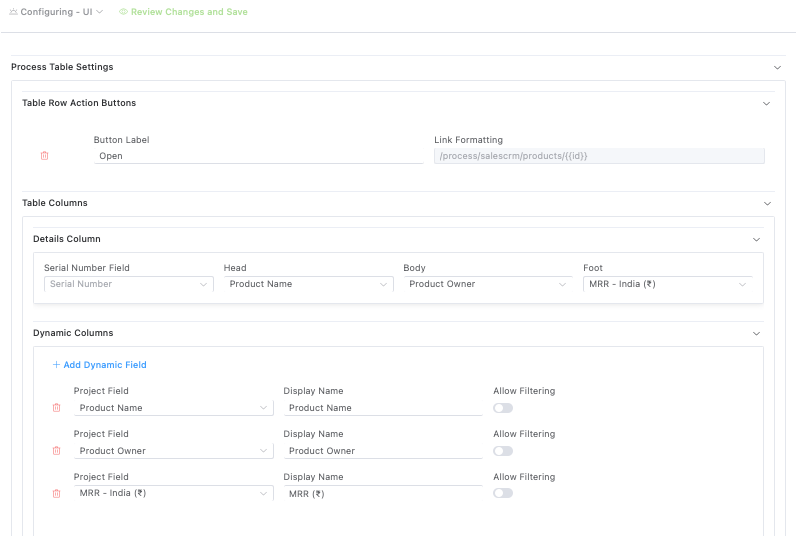
Table View Configuration